


Words of Wonders: Zen
4.91.60K Reviews
App Specs
- Version
- 2.6.8
- Updated On
- License
- Free
- Downloads
- 1,000,000+
- Developer
- Fugo Games
- Categories
- Word
- Platform
- Android, iOS
Screenshots
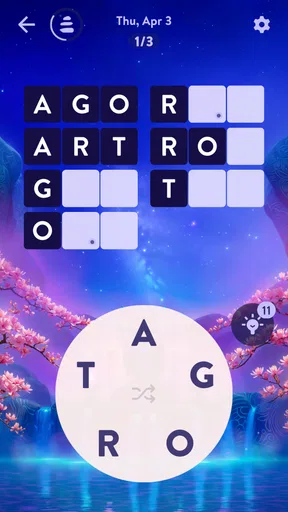
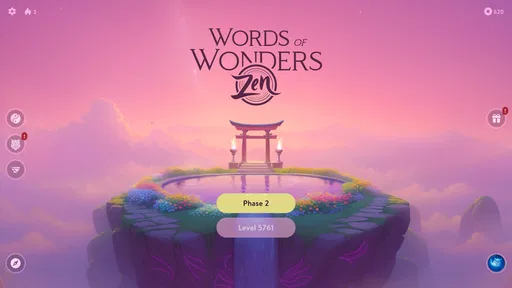

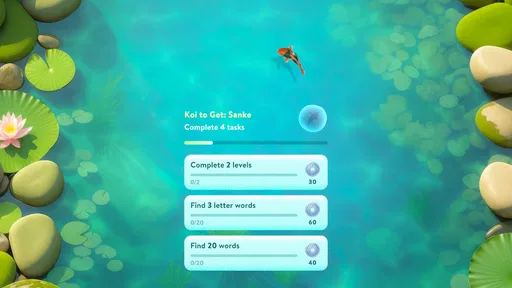
 Analysis by AppCompare
I like word games that let me think without demanding my full attention, and Words of Wonders: Zen sits in that space. It is a free word puzzle game from Fugo Games, built around making words from letters and fitting them into a crossword-style grid. Its calm presentation gives it a different feel from timed word searches or competitive spelling games, though the puzzles still ask for patience and a bit of careful thinking.
The game is a good match for short breaks: I can work through a clue or letter set while waiting for an appointment, then put it down without needing to keep track of a complicated story. It is also easy to understand if you are new to word games. The more important question is whether its particular mix of tranquil presentation and gradually demanding puzzles suits the way you like to play.
What the current version offers
The game’s current version is 2.3.1, and it was released on May 24, 2024. Those details tell me where the app stands as a product, but they do not by themselves show what changed between releases. What I can judge from the experience is the basic appeal: the letter-connecting format is straightforward, while the crossword-style board gives each level a clear goal beyond finding any possible word.
That distinction matters if you have played lots of familiar word-search or anagram games. Here, a plausible word may still not solve the board; you need to identify the words that fit the available spaces. I find that makes the game more satisfying than tapping through a list of unrelated vocabulary prompts, although it can also make a level feel stubborn when one missing answer is holding up the grid.
Words of Wonders: Zen is listed as a word game, and its overall reception is strong: it has a 4.9 average from around 103,000 ratings, with more than a million installs. It is rated Everyone, so its general puzzle premise is suitable for a broad audience. That does not mean every player will enjoy the same pace; anyone who wants rapid action or a constant stream of new mechanics may find the measured word-solving loop too restrained.
How the puzzle loop feels in practice
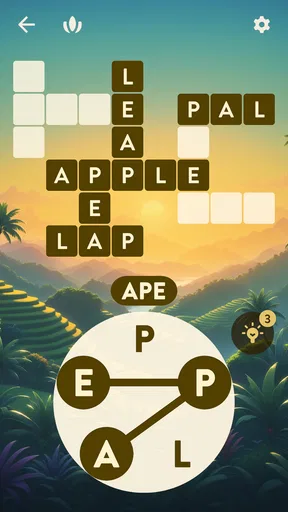
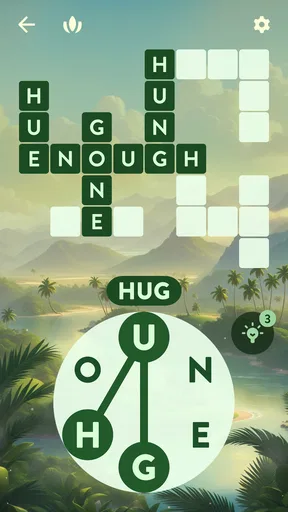
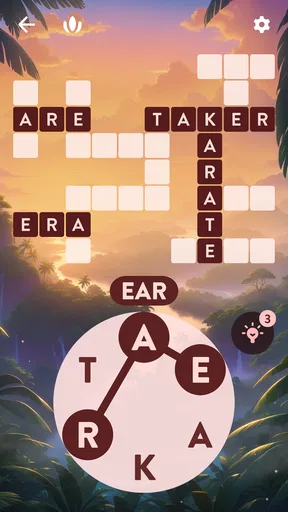
The central routine is easy to pick up: look at the available letters, connect them to make a word, and see whether it belongs in the crossword-like layout. The grid gives you a useful way to check your thinking. If several spaces are already filled, their patterns can narrow down the remaining answers, so I try to use the board as a set of clues rather than repeatedly guessing at random.
A practical habit is to pause after finding a word and scan the open spaces again before trying another combination. That small reset helps me notice a word ending or letter pattern I had overlooked. When I get stuck, I also avoid spending hints immediately; I first look for a short answer, then check whether the letters in completed words suggest a less obvious option. The game is most enjoyable when I treat a difficult board as a little deduction exercise rather than a race.
Worth Reading Before You Choose

Flipboard Shows What News Apps Must Do Beyond the Feed

Switching to Android Auto Means Rethinking Your Driving Routine

Google Calendar Makes a Crowded Week Easier to Manage

Ludo King Makes the Most of the Minutes Between Plans

Baby Panda World Brings Quick Play to Modern Phones, but Its Game Library Feels Busy

ESPN’s Live Game View Makes Following Close Games Easier
This approach also makes it easy to fit play into ordinary downtime. I might open a level during a quiet part of a commute, solve as much as I can, and return to it later when I have another few minutes. For a relaxed session at home, the calm mood can make the same puzzle feel like a small wind-down ritual. The trade-off is that this is not the best choice when I want a game that rewards quick reflexes or gives me a strong sense of urgency.
Calm presentation, with limits
The subdued presentation is part of the point: it gives the word puzzles a less pressured atmosphere than a countdown-based challenge. That can make it easier to concentrate, particularly if you prefer solving at your own pace. Still, a peaceful look and sound do not automatically make every level relaxing. When I cannot see a likely answer, the crossword grid can turn a soothing session into a bit of a mental snag.
I would also separate the game’s calm style from any promise that it will work as a stress remedy. It is entertainment, and its usefulness for unwinding depends on whether word puzzles relax you in the first place. If you find letter games frustrating, or if you need to switch your mind off entirely, a simple ambient or casual game may be a better fit.
Who should try it, and who may prefer something else
I would recommend it to people who enjoy anagrams, crosswords, and gently paced puzzles, especially those who like to solve a board in a few small visits rather than sit through a long session. It also works for players who want a familiar word-game format without learning a complicated set of rules. Because the basic interaction is simple, it can be an approachable option to share with someone who is not a regular mobile gamer.
On the other hand, players who want direct head-to-head competition, timed rounds, or a broad range of puzzle types may be happier with a dedicated crossword app, a word-search game, or a competitive spelling title. Those alternatives can put more emphasis on speed, social play, or variety. The choice comes down to what you want from a word game: this one leans on letter combinations and filling a connected grid, not fast reactions.
One useful way to decide is to try it in the situation where you expect to play most. If you want something for a brief pause between tasks, its self-contained puzzle loop makes sense. If you plan to play while offline or in places with unreliable service, check that the parts you care about remain available in that situation before relying on it; connectivity can matter for some features. I would not assume that every part of the experience works the same way without an internet connection.
The Perfect Blend of Challenge and Calm
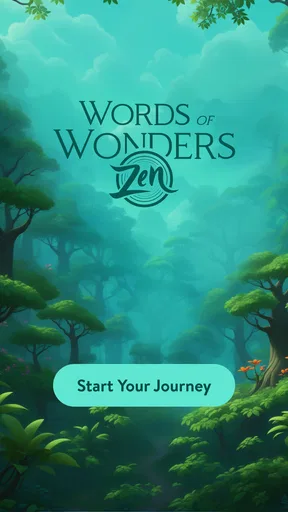
When you first open Words of Wonders: Zen, you’re greeted with serene visuals and soothing music that set the stage for a relaxing gaming experience. The game’s design is minimalist yet elegant, which is perfect for keeping your focus sharp. You’ll find yourself hooked on forming words from a jumble of letters, all while enjoying the peaceful ambiance.
The main objective is to swipe through letters and connect them to form words that fit into a crossword-style grid. It’s a simple premise, but don’t let that fool you. The difficulty ramps up nicely as you progress, ensuring that both beginners and word game veterans will find plenty to enjoy.
Immersive Gameplay with a Purpose
One of the things I absolutely love about this game is that it doesn’t just challenge your vocabulary; it also encourages you to think strategically. You’ll often find yourself contemplating your next move, especially as the puzzles become more intricate. The game also throws in special challenges and daily puzzles to keep things fresh, which is a nice touch.
What’s more, the game’s Zen mode is a genius addition. It’s designed to help you unwind and de-stress. Imagine sipping a cup of tea while solving a puzzle—this mode essentially gives you that experience. It’s a great way to end a hectic day.
Features That Keep You Coming Back
So, what keeps players returning to Words of Wonders: Zen? For starters, the game boasts a massive library of levels and puzzles. You won’t run out of content anytime soon. Plus, the game is frequently updated with new challenges and events, so there’s always something new to look forward to.
The app also offers a neat feature that lets you earn rewards as you complete levels. These rewards can be used to unlock hints or special themes that personalize your gaming experience. It’s a great way to keep players engaged and motivated.
Social Engagement and Connectivity
If you’re the competitive type, you’ll appreciate the game’s leaderboard feature. You can compete against friends or players worldwide to see who can tackle puzzles the fastest. It adds an exciting social element without being overly competitive.
You can even connect the game to your social media accounts, which is pretty cool if you love sharing your achievements with your friends. It’s a small feature, but it adds a sense of community to the game.
A Few Considerations
While I thoroughly enjoyed playing Words of Wonders: Zen, it’s worth mentioning that the game does have in-app purchases. They’re not necessary, but if you’re someone who likes to unlock everything quickly, it might tempt you to spend a bit. As always, it’s all about balancing your enjoyment with your budget.
Another thing to note is that the game requires a stable internet connection for certain features, which could be a downside if you’re planning to play on the go without reliable Wi-Fi.
Final Thoughts
Overall, Words of Wonders: Zen is a delightful and engaging word game that manages to strike a balance between challenging gameplay and a tranquil atmosphere. It’s perfect for winding down after a long day or taking a break during a hectic schedule. If you’re into word games or just looking for a new way to relax, this app is definitely worth checking out.
So, why not give it a try? You might just find it to be the perfect companion for those quiet moments when you need a mental escape.
Cost, access, and a sensible way to start
The game is free to download, with optional in-app purchases priced from $0.59 to $11.99 per item. I would start by playing without spending: the core appeal is solving the letter boards, so there is no need to buy anything just to find out whether the puzzle style suits you. If you do consider a purchase, pause and ask whether it solves a real annoyance for you or simply speeds up progress you would otherwise enjoy earning.
For families, the Everyone age rating and accessible word format make it easy to understand what kind of game this is, but I would still treat purchases as a separate decision and keep device purchase settings in mind. The game supports devices running Android 8.0 or later. That is useful to check before downloading on an older phone or tablet, particularly if you are choosing it for a family device you do not upgrade often.
What I would keep an eye on
For someone already playing, the practical question is whether the current puzzle routine continues to feel rewarding: are new boards giving you fresh letter patterns, and does the calm presentation still help you settle in rather than making a stuck level feel tedious? Version 2.3.1 is the current release to look for, but I would not treat a version number alone as proof of a particular new feature. I prefer to judge changes by what I can actually see while playing.
My overall take is that the game earns its place when you want a focused, low-pressure word puzzle and are happy to work through a grid one answer at a time. It is less suited to players who need a fast competitive loop, dependable offline access for every feature, or a constant change of game mechanics. If that trade-off sounds right, its approachable format makes it an easy one to try; if not, a timed word challenge or a conventional crossword may serve you better.
Pros
- Beautiful and calming graphics.
- Variety of challenging puzzles.
- Regular updates with new levels.
- Offline play available.
- Enhances vocabulary and spelling.
Cons
- Ads can be intrusive.
- Limited hints without purchase.
- Some puzzles feel repetitive.
- Occasional lag on older devices.
- In-app purchases can be pricey.
FAQs for Words of Wonders: Zen
What is Words of Wonders: Zen?
Words of Wonders: Zen is a captivating word puzzle game designed to enhance your vocabulary and mental agility. The game offers serene backgrounds and calming music to create a relaxing atmosphere while you solve an extensive array of challenging word puzzles. It's available on both Android and iOS platforms.
How do I play Words of Wonders: Zen?
To play Words of Wonders: Zen, you need to connect letters in the correct sequence to form words and solve puzzles. Each level presents a different challenge with a unique set of letters. The game also offers hints and bonuses to help you progress through more difficult stages.
Are there in-app purchases in Words of Wonders: Zen?
Yes, Words of Wonders: Zen includes in-app purchases. Players can buy hints, remove ads, or purchase additional content to enhance their gaming experience. However, the game is entirely playable without spending money, as it provides opportunities to earn rewards through gameplay.
Is Words of Wonders: Zen suitable for all ages?
Words of Wonders: Zen is designed for players of all ages. The game focuses on word puzzles that are both educational and entertaining, making it ideal for children and adults alike. The calming design and lack of time pressure further make it accessible for a broad audience.
Do I need an internet connection to play Words of Wonders: Zen?
No, you don't need a constant internet connection to enjoy Words of Wonders: Zen. The game can be played offline, allowing you to solve puzzles anytime and anywhere. However, an internet connection is required for downloading updates or accessing certain features like leaderboard rankings.


